Automate a pull request
Give your agents reusable automations to reduce context usage, make execution more predictable, and limit access to MCP tools or CLI commands. The agent provides the inputs; the workflow defines the operation.
In this demo, @pr creates a GitHub pull request through MCP without giving the agent the full GitHub MCP tool catalog, the token, or access to gh. This is a basic example; you can extend the workflow with validation, commit squashing, and other steps.
Keep credentials outside the agent’s reach
Section titled “Keep credentials outside the agent’s reach”Store a token accepted by the GitHub MCP endpoint in ~/.skiller/secrets/github_mcp_token. Runtime reads the file and builds the authorization header at execution time; the agent only supplies the workflow inputs.
Restrict access to the file and keep it outside the agent’s allowed file and shell paths. Grant the token only the repository access and permissions needed to create pull requests. Do not include it in prompts or flow inputs.
Define @pr
Section titled “Define @pr”Create pr.yaml with six inputs and a single GitHub MCP operation:
name: prdescription: "Open a GitHub pull request for a branch workflow"version: "0.1"start: create_pr
inputs:  owner: string  repo: string  head: string  base: string  title: string  body: string
mcp:  - name: github    transport: streamable-http    url: "https://api.githubcopilot.com/mcp/"    headers:      Mcp-Param-owner: "{{inputs.owner}}"      Mcp-Param-repo: "{{inputs.repo}}"      Authorization:        file: "~/.skiller/secrets/github_mcp_token"        prefix: "Bearer "
steps:  - mcp: create_pr    server: github    tool: create_pull_request    args:      owner: "{{inputs.owner}}"      repo: "{{inputs.repo}}"      head: "{{inputs.head}}"      base: "{{inputs.base}}"      title: "{{inputs.title}}"      body: "{{inputs.body}}"    next: done
  - notify: done    message: "pull request created for {{inputs.owner}}/{{inputs.repo}} {{inputs.head}} -> {{inputs.base}}"
Runtime renders the repository headers and tool arguments from the same inputs. No LLM call is needed to execute the workflow.
Add an instruction to your agent
Section titled “Add an instruction to your agent”Give your agent access to invoke this workflow, rather than the full GitHub MCP server or unrestricted CLI commands. Add an instruction such as:
To create a pull request, run:
skiller run @pr \  --arg owner=<owner> \  --arg repo=<repo> \  --arg head=<branch> \  --arg base=<base> \  --arg title="<title>" \  --arg body="<summary and validation>"
The head branch must already be pushed.Check the run result and report the pull request URL.
Customize this instruction to fit your workflow, including approval requirements and validation steps. Tool permissions enforce access limits; instructions alone do not.
The agent runs @pr
Section titled “The agent runs @pr”Ask your agent to create a pull request:
Create a pull request from feature/demo to main.
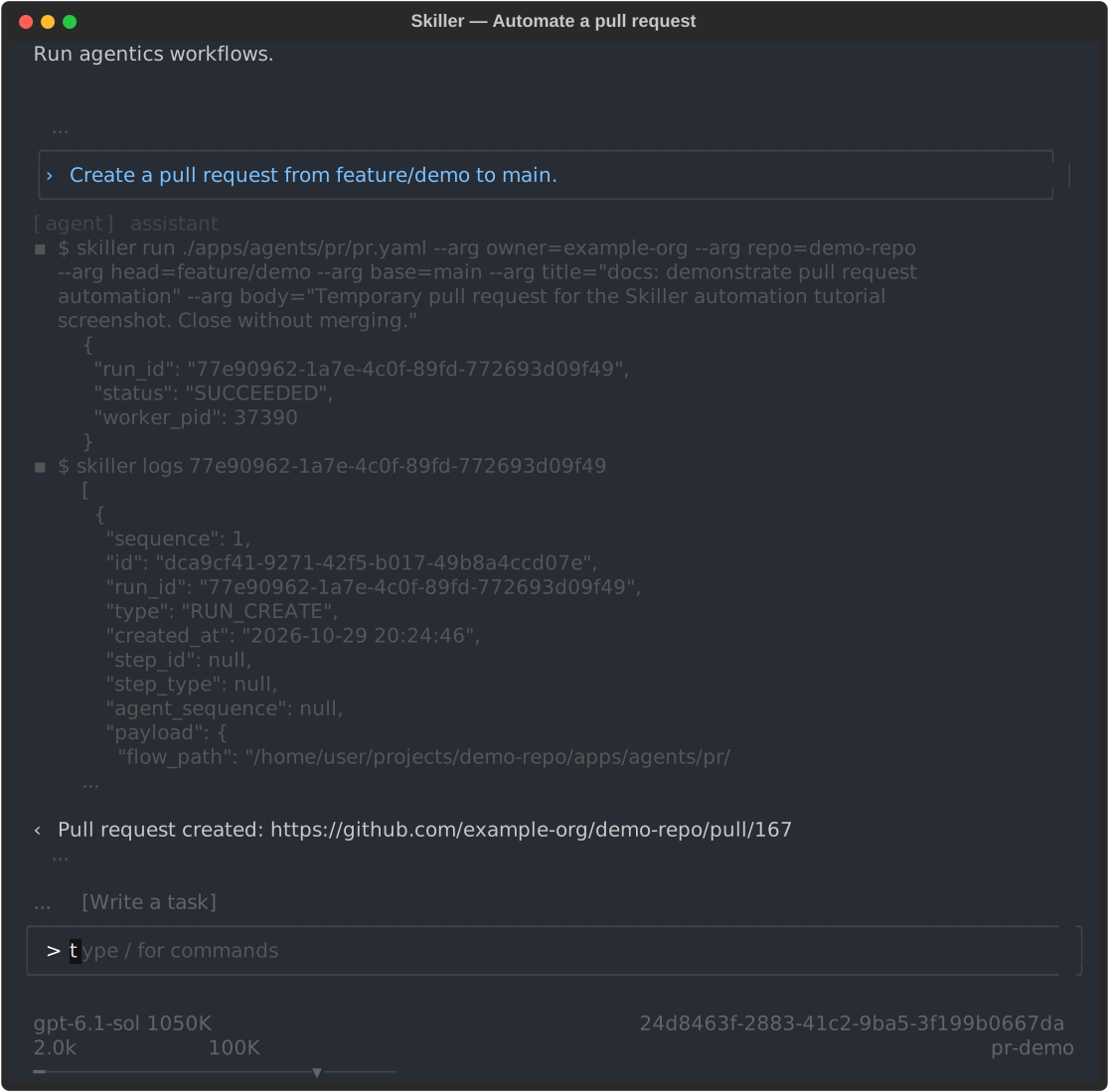
Repository names and home paths in the screenshot have been replaced with examples; the log preview is shortened.
The agent fills in the repository, branch, title, and body, then invokes @pr through the CLI. The head branch must already be pushed:
skiller run @pr \ --arg owner=YOUR_OWNER \ --arg repo=YOUR_REPO \ --arg head=feature/my-change \ --arg base=main \ --arg title="Add my change" \ --arg body="Summary of the change and validation results."The workflow creates the pull request; it does not push branches, run tests, or prepare commits.
The agent uses the returned run_id to inspect the result:
skiller status <run_id>skiller logs <run_id>The successful MCP step includes the pull request URL, which the agent reports to the user. If the run fails, the agent inspects the error before retrying.